Use Examples to Get Consistent Results from AI
The fastest way to get AI to produce exactly what you want isn't a longer description — it's showing it an example. Few-shot prompting lets you demonstrate the format, tone, and level of detail you need, and AI replicates it consistently.
 ChatGPT
 Claudemarketersfounderscontent-creators
Try this starter prompt
Copy and paste this into ChatGPT or Claude with your details filled in. It's a simplified version — the full prompt chain is in the app.
Help me use examples to get consistent AI output for a repeating task.

My repeating task: [e.g. "writing LinkedIn posts about our product updates"]
Here's a good example of the output I want:
---
[PASTE ONE EXAMPLE OF GREAT OUTPUT HERE]
---
Here's what I typically give the AI to work from: [DESCRIBE YOUR USUAL INPUT]

Based on this example, write me a few-shot prompt that:
1. Shows the AI the format and tone I want
2. Includes 2 additional example slots I can fill in
3. Has clear input → output structure so I can reuse it weekly

→ Get the full few-shot prompting system with a personal template library in AI School
How it works
- 1
Find 2-3 examples of outputs you already love from previous AI sessions
- 2
Include those examples directly in your prompt as "what good looks like"
- 3
Vary your examples slightly to show the range of acceptable outputs
- 4
Test the consistency across 5 different inputs before using it in production
What you'll build in the app
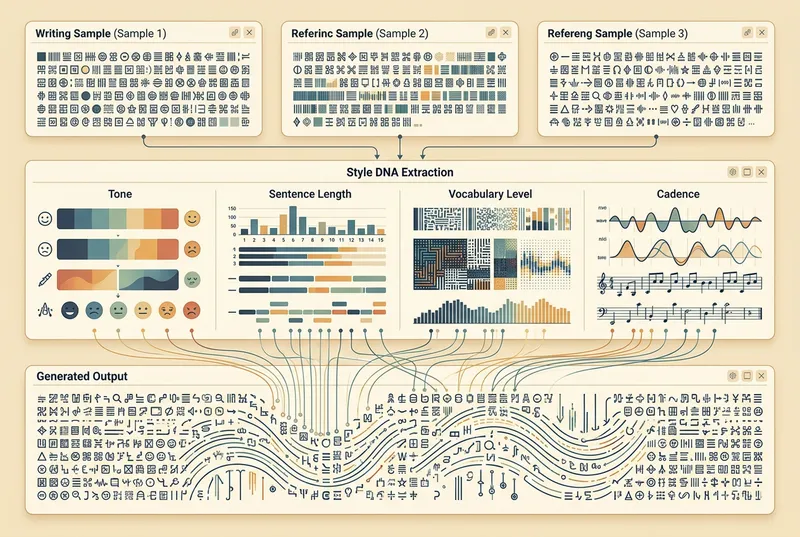
Get the full few-shot prompting guide — 15 templates, consistency tests, and personal prompt library setup — inside AI School.
Want the full course?
Use Examples to Get Consistent Results from AI
Get the full few-shot prompting guide — 15 templates, consistency tests, and personal prompt library setup — inside AI School.
Download on the App Store